
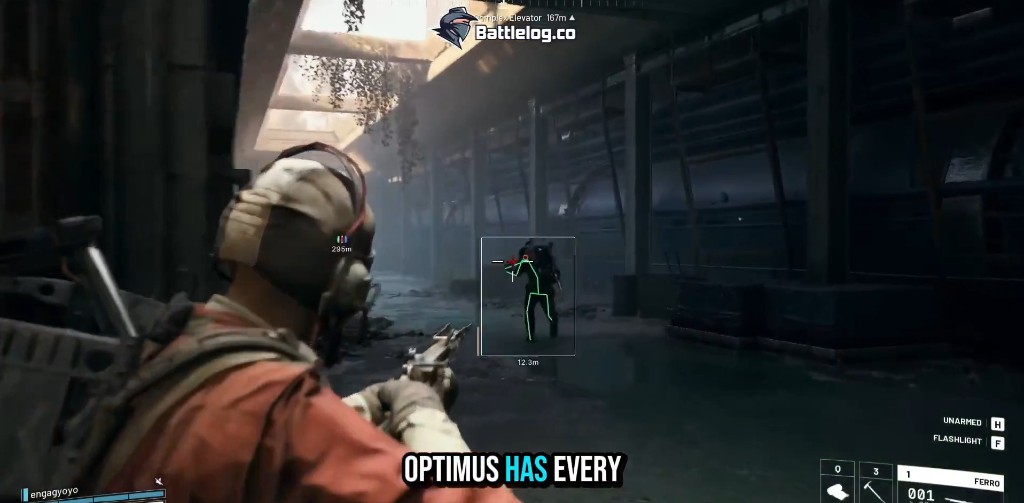
What Arc Raiders ESP Actually Shows You
Player ESP in Arc Raiders is not a magic win button. It is a layer of information Embark Studios deliberately hides behind walls, fog, and vertical map design. When you enable box ESP, every raider within range gets a 2D outline you can read from third-person camera angles. That alone changes how you enter buildings in Buried City — you stop treating every door as a coin flip.
Skeleton ESP goes further. Bone overlays track where someone’s gun is pointed even when their body is half behind cover. In a game where TTK varies wildly between weapons, knowing an enemy is pre-aiming your corner lets you reposition instead of wide-peeking into a prepared shot.
Setting Up Player Box ESP
Start with box ESP enabled and skeleton lines off. Run two or three offline raids or low-stakes scav runs to learn how boxes render at different distances. Arc Raiders maps have serious verticality. A box on a rooftop reads differently than one at ground level behind a half-wall.
Distance tags should always stay on. Meters tell you whether to push, hold, or disengage. A solo at 80 meters is a different threat than a pair at 25 meters stacked on the same staircase.
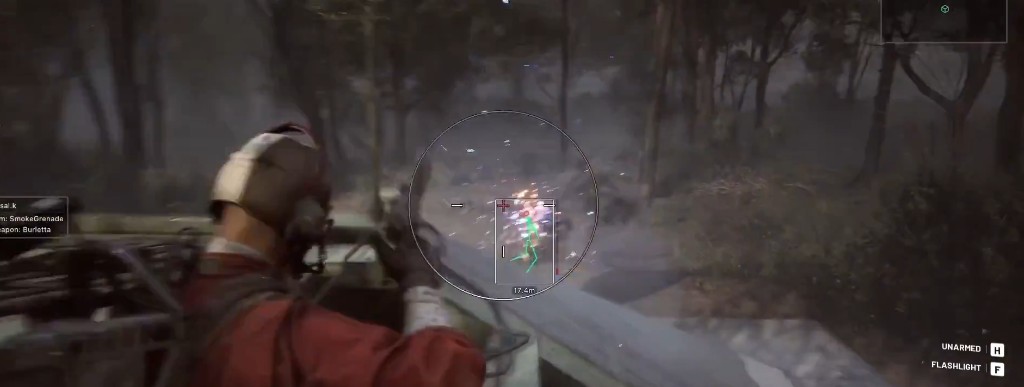
Health bars matter during extended fights. When you crack someone’s shield tier, the bar drops — that is your window to finish before they med. Without health ESP you guess. With it you commit when the numbers justify the ammo spend.
Wallhack for PvPvE Awareness
Wallhack in Arc Raiders extends ESP through solid geometry. Compounds on the Rust Belt have interior rooms, catwalks, and basement tunnels that sound design alone cannot fully resolve. Wallhack shows raiders moving through those spaces before footstep audio catches up.
The key is filtering. Player-only wallhack during PvP rotations. Add ARC drone layers when you push outdoor zones with Hornet nests. Full wallhack everywhere creates visual noise — tune categories instead of maxing every toggle on day one.
Color Customization Tips
Use high-contrast colors for players and muted tones for loot when running combined overlays. Yellow or cyan boxes pop against Arc Raiders’ industrial palette. Red skeleton lines on dark interiors can wash out — test in both day and night raids.
Stream-proof mode deserves a mention here. If you record content, enable it before toggling ESP so overlays stay off capture software while you still see them locally.
Common ESP Mistakes
New players enable every ESP category at once and wonder why the screen looks like a circuit board. Start minimal: player boxes, distance, health. Add loot ESP when you farm. Add drone ESP when you rotate through ARC-heavy zones.
Another mistake is trusting ESP over audio. Embark built strong sound cues. ESP plus audio beats either alone. Use boxes to confirm what you already heard — not to replace map knowledge entirely.
Linking ESP to Extract Decisions
Extract ESP markers pair with player ESP for end-of-raid calls. When three boxes sit between you and the helipad, you wait or reroute. When the path clears but a Sentinel icon glows on a roof line, you know the extract is contested by machines even if no players show yet.
For the full Arc Raiders game ESP suite including loot, ARC drones, and extraction markers, see our game ESP and aimbot features page. If you are comparing combat overlays, read the aimbot settings guide next.